
TL;DR
- Migrating from WordPress to Webflow does not automatically hurt your SEO rankings if the migration is handled correctly.
- The single biggest risk is broken URLs. Every page that changes its URL structure needs a 301 redirect or Google will treat it as a new page and your ranking history is lost.
- Google typically re-indexes a migrated site within two to four weeks if you resubmit your sitemap via Search Console after launch.
- Most sites that lose rankings after a migration lost them due to missing redirects or missing content, not because of the platform change itself.
This is the question that holds more businesses back from a platform migration than almost any other. You have spent months or years building up search rankings. The thought of losing them because you switched platforms feels like an unacceptable risk.
Here is the truth: the platform you are on has almost nothing to do with your rankings. Google does not care whether your site runs on WordPress, Webflow, Shopify, or a custom-built stack. It cares about the content on your pages, how fast those pages load, how well they are structured, and whether other sites link to them.
What can hurt your rankings is a poorly executed migration. Specifically, it is about URLs. Here is what you need to understand and do.
Why migrations sometimes hurt rankings
When Google indexes your site, it is indexing specific URLs. Your homepage at yoursite.com, your about page at yoursite.com/about, your blog posts at yoursite.com/blog/post-name. Google has associated those specific URLs with the content on them and assigned them a ranking position based on that content and the links pointing to them.
If you migrate to a new platform and those URLs change, Google sees the new URLs as brand new pages with no history. The ranking equity built up on the old URLs does not automatically transfer. This is what people mean when they talk about losing rankings after a migration.
The solution is 301 redirects. A 301 redirect tells Google and every browser that a URL has permanently moved to a new location and that all ranking equity from the old URL should transfer to the new one. When done correctly, a 301 redirect preserves your rankings through a platform change.
The pre-migration SEO checklist
Before you launch a migrated site, work through this list.
Crawl your existing site. Use a tool like Screaming Frog (free up to 500 URLs) to get a complete list of every indexed URL on your current WordPress site. This is your source of truth for what needs redirecting.
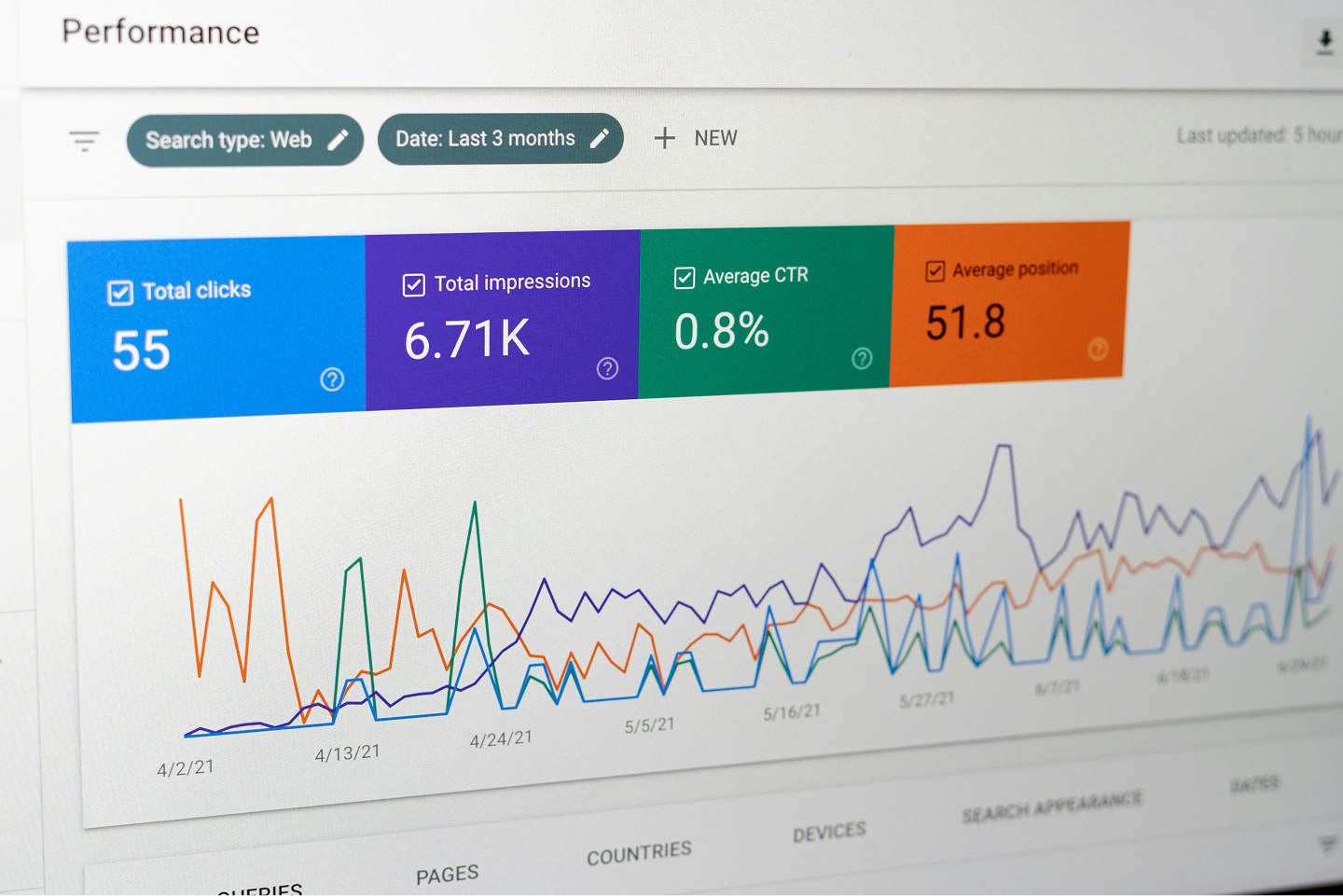
Document your current rankings. Use Google Search Console to export your top-performing pages by clicks and impressions. These are the pages where a lost ranking will hurt most. Pay extra attention to these during the migration.
Map old URLs to new URLs. For every URL on your current site, know what the corresponding URL will be on the new site. If the URL is staying exactly the same, no redirect is needed. If it is changing, a redirect is required.
Preserve your URL structure where possible. The easiest migration is one where the URL structure stays identical. If your WordPress blog posts were at yoursite.com/blog/post-name and your Webflow blog posts are also at yoursite.com/blog/post-name, there is nothing to redirect. Design your Webflow URL structure to match WordPress before you build.
Set up 301 redirects before launch. Webflow has a built-in redirect manager in Site Settings. Before you switch your domain to point to the new Webflow site, every changed URL should have a redirect entered. Do not launch first and add redirects afterwards.
The post-migration checklist
After launch, work through this in the first 48 hours.
Resubmit your sitemap in Google Search Console. Go to your property, click Sitemaps, and submit your Webflow sitemap URL (yoursite.com/sitemap.xml). This tells Google there is a new version of the site to crawl and speeds up re-indexing.
Use the URL Inspection tool to check key pages. In Search Console, paste your most important URLs into the URL Inspection tool. Request indexing for each one individually. For your top ten pages by traffic, this is worth doing manually.
Check for crawl errors. In Search Console, go to Coverage or Pages and look for any 404 errors that appear after launch. These are URLs that were requested but returned a page not found response, meaning you missed a redirect. Fix them immediately.
Monitor your rankings for four weeks. Use Search Console to track your average position for key queries. Some fluctuation in the first two weeks is normal as Google re-crawls and re-evaluates the site. By week four, rankings should have stabilised. If they have not, there is usually a specific technical issue to diagnose.
What Webflow does better for SEO than WordPress
Here is something that does not get said enough: a well-executed migration to Webflow often results in a rankings improvement over time, not a loss.
The reasons are straightforward. Webflow generates cleaner HTML than most WordPress themes, particularly those built with page builders like Elementor. Clean, semantic HTML is easier for Google to parse and understand. Webflow sites hosted on the platform CDN typically have better Core Web Vitals scores than comparable WordPress sites on shared hosting, and Google uses Core Web Vitals as a ranking signal.
The SEO fundamentals, title tags, meta descriptions, canonical URLs, heading structure, internal linking, and page speed, all work in Webflow. In some cases they are more straightforward to manage because they are built into the platform rather than requiring a separate plugin configuration.
The real risk is rushing the migration
Every migration-related ranking drop we have seen or heard of comes down to the same root causes: redirects that were not set up, content that was not transferred, or a site that was launched before it was ready.
A migration that is given proper time for audit, redirect mapping, content transfer, and pre-launch testing is a low-risk operation. A migration that is rushed to meet an arbitrary deadline is where things go wrong.
If you want help planning or executing a migration that protects your current SEO, get in touch. We will audit your current site and give you a clear picture of what the migration involves before any work starts.
Photo by © Specht GmbH (linked to https://www.timospecht.de/)